
Find a public Facebook video
Open the Facebook video or Reel you want to save and use Copy link or Android Share.
 Video Tube Lite
Use Video Tube Lite with supported public Facebook video links so you can move from a copied or shared URL to the app’s download workflow without switching between multiple downloader tools.
Use only with content you are permitted to save. Availability depends on the source link and platform restrictions.
Swipe left or right on mobile. Use the arrows on larger screens.
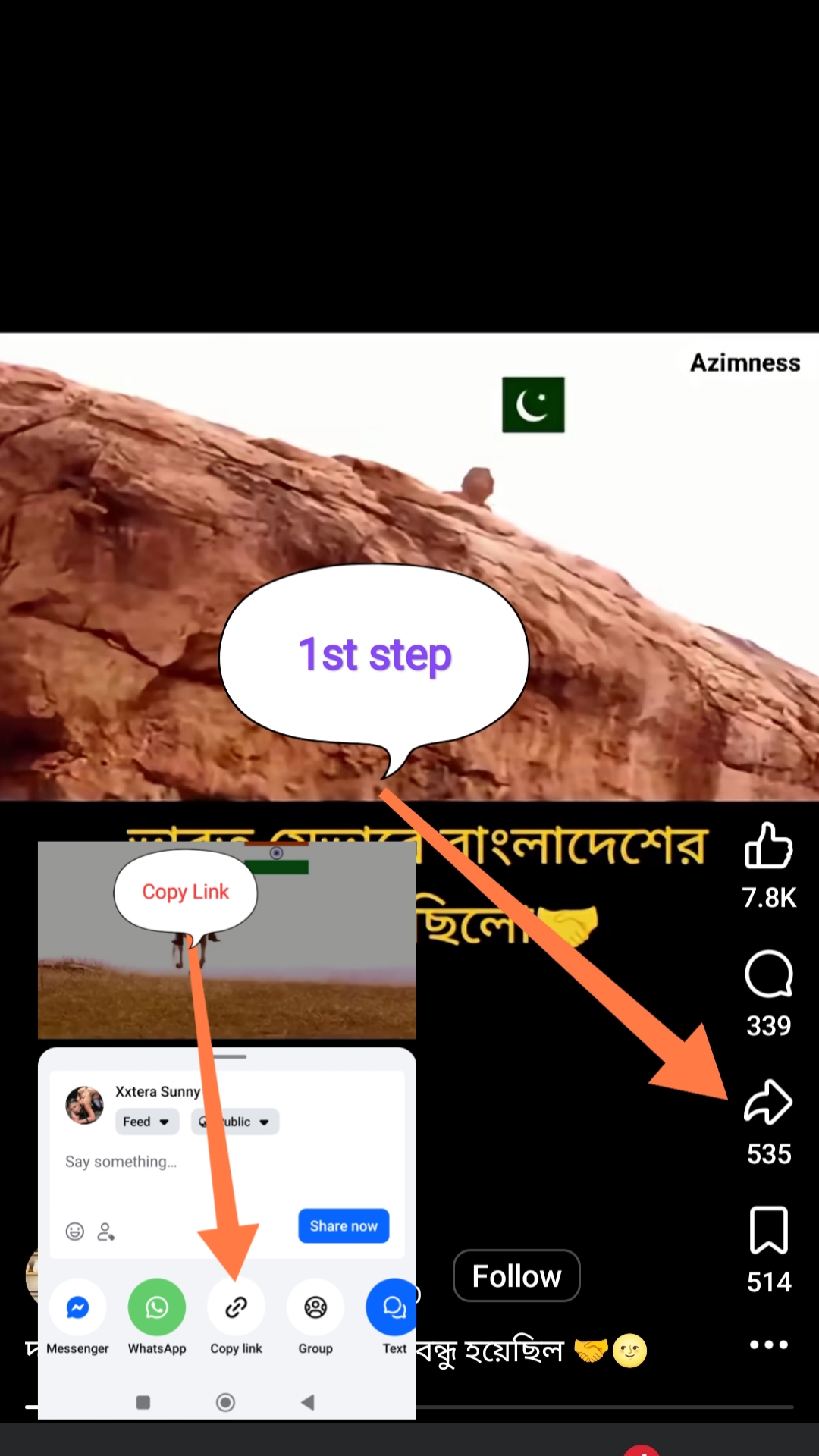


Open the Facebook video or Reel you want to save and use Copy link or Android Share.
Choose Video Tube Lite from the share sheet or paste the copied Facebook URL into the app.
When the link is supported, choose an available quality and keep the completed download in the app’s download manager.
Video Tube Lite keeps link handling, supported format selection, download progress, and completed files in one Android experience instead of sending you between multiple downloader websites.
Share or paste a supported link, then return to the same download manager for your saved media.
Download the Android appPrivate-group, friends-only, login-only, expired, or deleted Facebook content may not resolve.
Use the direct video/Reel URL rather than a profile, feed, or generic Facebook homepage link.
If Facebook changes a link format, update Video Tube Lite before retrying.
No. The link must point to supported video content that is publicly accessible and resolvable by the app.
Yes. When Facebook exposes the URL through Android Share, choosing Video Tube Lite can open the app with that link.
No. Supported Facebook links use the same Video Tube Lite download manager as the other platforms.
Use the same app for supported links from Facebook and the other platforms listed above.