
Copy the Instagram link
Open the Reel or public video post, tap Share, and copy the link or choose Video Tube Lite.
 Video Tube Lite
Send a supported public Instagram video or Reel link to Video Tube Lite, let the app analyze the URL, and manage the resulting download alongside media from your other supported platforms.
Use only with content you are permitted to save. Availability depends on the source link and platform restrictions.
Swipe left or right on mobile. Use the arrows on larger screens.
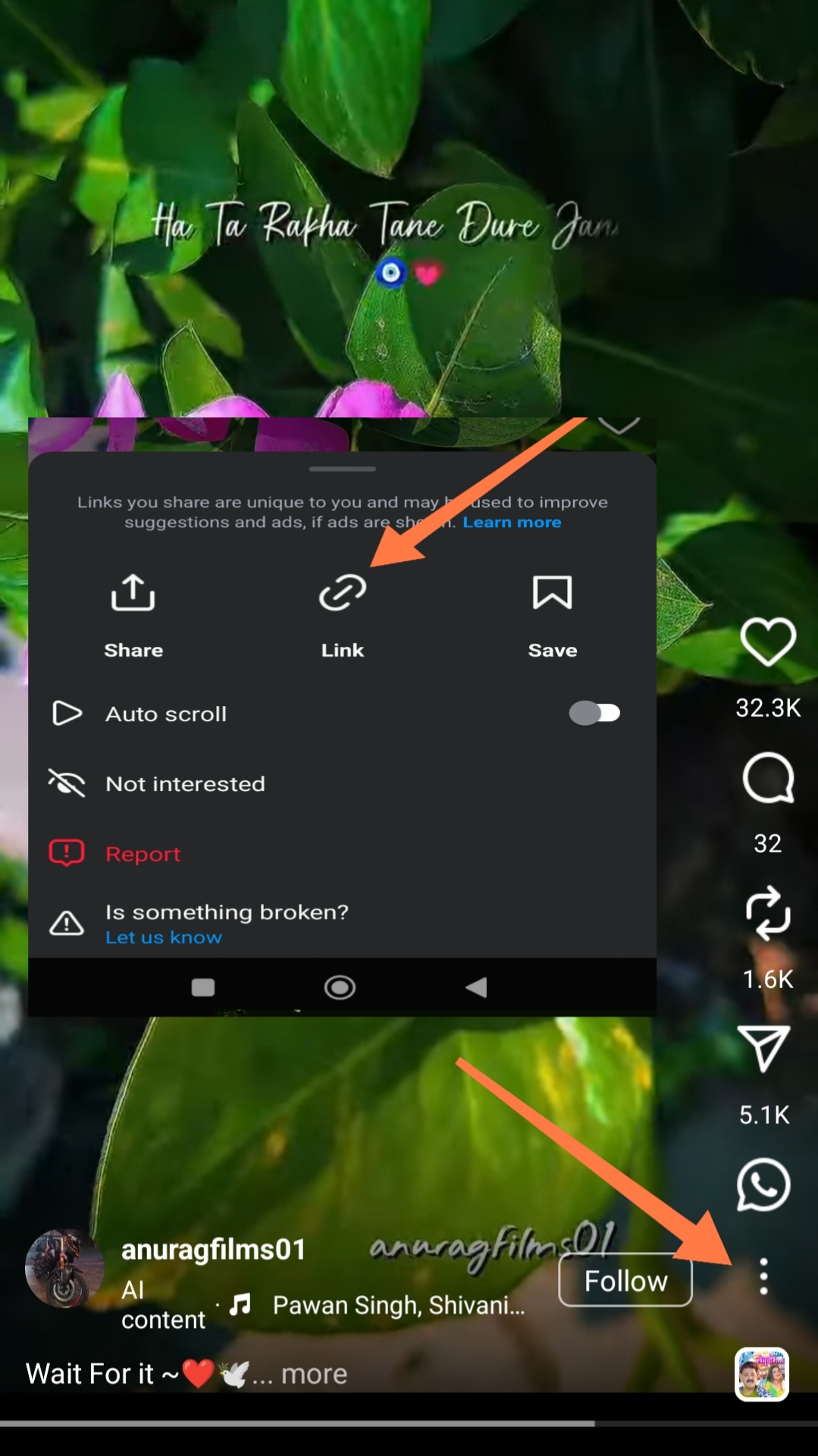


Open the Reel or public video post, tap Share, and copy the link or choose Video Tube Lite.
Video Tube Lite recognizes the Instagram URL and checks whether downloadable media is available.
Start the supported download and find it later in the same download manager used by the rest of the app.
Video Tube Lite keeps link handling, supported format selection, download progress, and completed files in one Android experience instead of sending you between multiple downloader websites.
Share or paste a supported link, then return to the same download manager for your saved media.
Download the Android appPrivate accounts, login-only media, Stories with expired access, or removed posts may not resolve.
Use the direct Reel or post URL instead of an Instagram profile URL.
If Instagram changes its public page format, update Video Tube Lite and retry the current link.
Supported public Reel links can use the app’s normal share-or-paste download workflow.
Private content requires permissions that a public-link downloader cannot assume, so those links may not be available.
Yes. Video Tube Lite uses one download manager for supported links from its different platforms.
Use the same app for supported links from Instagram and the other platforms listed above.